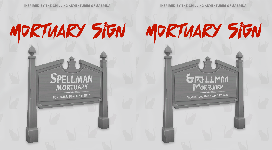
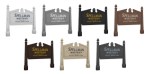
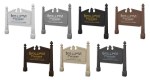
After binge-watching the entire first season of Sabrina on Netflix, naturally I set out to build the Spellman Mortuary in the Sims. But I needed a sign… so here you have two versions I made for my build. One in English, the other in Simlish. I’m sharing these just in case you get the same urge after watching season 1 🙂
Hope you like it! If you download it I would LOVE to see your pictures, so please tag me on instagram (@german_simmer_). ♥ Have fun with it! ♥ _ Download:
Didn’t anyone ever tell you to not play with fire?
Dragon Fire I A Reshade Preset for Reshade 3.0.8
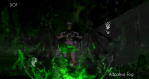
This reshade was built to be used while shooting my Maleficent prequel story- Before the Flames. It’s very vivid, and full of effects! There is a green and purple cast to it, as those are Mal’s colors.
Toggle Keys
Caps = DOF
Numberpad * = Ambient Light
Numberpad / = Adaptive Fog
Clear/Delete = Magic Bloom
B = Bloom
I suggest playing with different combinations- you can get a lot with this reshade!
TOU
1. Do not claim this reshade preset your own 2. Do not re-upload this reshade preset as your own
4. Reblogging is great, but do not redirect my CC behind an ad, ad*fly, link shortner, or post on a website other than tumblr 5. If possible, @frost-rainbowcy when you use my CC! I’ve love see my stuff in action!
Hey! I’ve been slacking off and not releasing this for like a week but it is time to get out outta my projects folder.
I made a reshade preset tweaked exactly how I need it and I thought other people may want to try it out, too. It’s going to need adjusting on each individual’s computer because MXAO is really finicky, so it’s kind of a pain in the butt to install if you don’t know what you’re doing. But for those who do, I think this preset looks pretty neat.
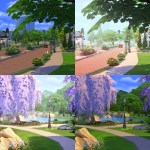
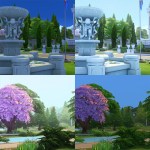
Additional previews: All of the posts under my LYRS tag are pictures of this Reshade preset in action at different locations and different times of day.
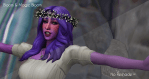
All of the before/after photos are unedited, just resized. What you see if what you (approximately) get. Things will vary based on your MXAO adjustments.
There are hotkeys for the optional things that you can/should turn on/off based on the screenshot you’re trying to take.
CTRL + Numpad 0 – toggle MXAO
CTRL + Numpad 1 – toggle ambient light
CTRL + Numpad 2 – toggle adaptive fog
CTRL + NUMPAD 3 – toggle depth haze
CTRL + NUMPAD 4 – toggle depth of field
CTRL + NUMPAD DECIMAL (period) – toggle a border that crops your screen into a 1:1 square. Good for when you’re specifically trying to take square screenshots.
This preset is for advanced users ONLY. I’m providing it ‘as-is’ and I won’t be answering any questions pertaining to how to set it up/what MXAO settings you need to use/any problems you might run into. ReShade is a very finicky thing and I myself have to mess with it all the time to get it working properly. I don’t have the time (nor your same computer) to troubleshoot for you, sorry.
This is for the latest versions of Reshade (3.4.1).
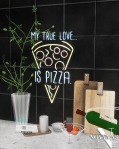
to change the light color and brightness go to live mode, click on the sign, select “set color and intensity”, select “this light” then choose a color and adjust brightness











 simmingpenguin