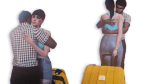
Okay so I wasn’t really planning on sharing this as a pose pack since this is so specific to my sim family but then I thought if even just a few think they can use it then why not share it? Just place teleporters in middle of tables.
So I don’t know about anyone else but I come from a large loud dysfunctional family and when you get them in a room together at once…shit goes down. Yelling, insults, fighting, and dad is about to lose it while mom is just trying to keep the peace….I consider the year a success if no cops are called. Anyways this is a mild version of that. Hope you enjoy 🙂 Please do not re-upload!
**For anyone else wondering, the house I used for these screenshots you can find HERE.
Tree Ornament (included, ring category. Mesh by Nash, converted to ts4 by @bluehoppersimming)
Any issues let me know, but feedback is always appreciated! Tag me in your pics because I love seeing my shit in other people’s games! To pose, place statue in center of gift pile or reindeer. To check out my nsfw gift check HERE! And don’t forgot to keep your eyes peeled for my last gift!
Enjoy and Happy Holidays from your favourite Grinch 🎄
Studio for Mac is updated with a batch-fix for CC items that won’t place in the game after the 12/12 patch. There are also some changes that should speed things up and fix issues that were affecting the Warehouse.
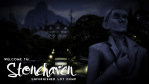
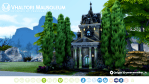
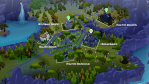
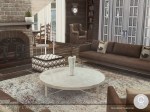
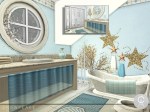
Welcome To Stonehaven – Unfurnished Forgotten Hollow Lot Dump
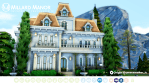
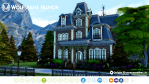
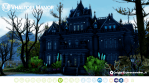
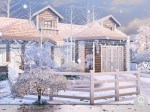
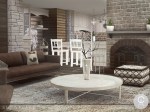
I got the Vampire pack because of the build content, plain and simple. That in my opinion is the sole reason a builder should get it. And when I did finally buy it on sale, I went on a building spree. I had aimed to release these over Halloween but things got in the way. Someone asked if I was uploading these so i finally go around to the tweaking and here they are. These are all unfurnished (or partially furnished) and require Vampire GP to really work properly. They do contain some of my cc too.
1. Open the image in which you want to make the effect, then place over the image that simulates the false window. Note:Preferably, the image that simulates the false window should be light tones.
2. To the image that will be the false window, put the name of “window”, then go to filters> blur> Gaussian blur, we will place it 4.5. We will change from “Normal” to “Clarify” and the opacity will be 60%
3. Duplique la capa “Ventana” Ctrl + J y cambie esa capa a “Multiplicar” y la opacidad a 30%
4. We group “Windows” and “Windows copy” in a folder (Ctrl + G) and put the name “Windows”
5. We select the folder and add “layer mask”. We select the gradient from black to white and pull a little from bottom to top, to lighten the base.
6. We add a layer of curves and modify it as we like.
7. If we want we can lower the Hue / saturation of the image, if we want some parts to retain their normal color we use a black brush and we color the parts that we want to preserve the color (in the Hue / Saturation layer).






















 simmingpenguin