I really, really, really don’t understand why we can’t have all of these fucking stuff packs. It would take the community like, a month to make something like this. And we don’t even have the resources they have!!!! If you think the sims team is making this shit with Blender and Sims4Studio THINK AGAIN
they almost ASSUREDLY have proprietary programming that does nothing but make sims 4 objects and art, they have entire teams dedicated to concept art and fucking texturing and meshing I guaran-fucking-tee you. there are MULTIPLE PEOPLE being paid more than minimum wage to work eight hours a day, five days a week, and I’m just kinda fucking curious what exactly they’re doing??? why can the community produce so much more content than they can. this is fucking ridiculous.
stop fucking teasing us with what could have been, EA, you’re just fucking making it clear and obvious you HAVE THE MEANS TO BE MAKING THIS STUFF like WHAT THE FUCK ARE THEY DOING EVERY DAMN DAY IF IT’S NOT MAKING THINGS???????????
WHERE IS MY BARNYARD WEDDING PACK YOU EA CUCKS?!?!?!?!
Download link will take you to my blogger. There are two options, adfly (if you feel you’d like to support me) or straight to simfileshare for an instant download! Choose the one you would like. Don’t forget to leave a like on this post if you have downloaded! It lets me know you’d like more! (✿◠‿◠)
1. Duplicate the layer (Ctrl + J), put as name “Blur” then convert to intelligent object. Note: In my case I had to cut the image so that the effect is only in the window and not in the whole image.
2. In the “blur” layer add the “Gaussian blur” effect. Filter> Defocus> Gaussian blur, I put “7.6”, but you can put it to your liking.
3. Click Ok, then create a new layer, click on the brush tool, choose the number 23 and enlarge or shrink it to your liking, start painting in the new layer.
4. That’s what I did, but I’m sure you’ll get much better.
5. Move the “Blur” layer on top of all other layers.
6. Right click on the “Blur” layer and create clipping mask.
7. Maybe the effect is not remarkable, but wait, inside the “Blur” layer is the “Gaussian blur” filter that we put before, click on it and the blur window will come out again, I put it in “10” but you can adjust it as you want, click OK
8. Place the rain image on top of everything, I’ll leave it in the description to download the photo, but you can use another one that you like. Note:In my case I had to cut it so that it only came out in the window.
9. Select the rain image and from “Normal”, turn it to “Soft light” and you’re done. You can adjust the levels, the tones to your liking so that the photo is even better.
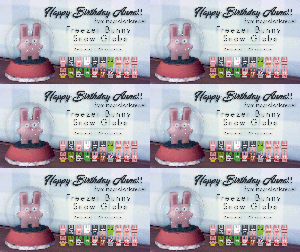
I have a small set of items like this, but am releasing this one as stand-alone. This is possibly the Cutest thing in the entire game, and took me forever to actually notice them! They come with a glass ‘broadcast base’ (modified insect terrarium), and once placed they continually just merrily bounce around, sometimes actually falling off the surface onto the floor… I just wanted to Share this little bit of Happy with you all! (You can’t see in the video that they actually blink their eyes…) No environment score, and the base can be found under Activity | Knowledge for 200. Requires Outdoor Retreat. For the life of me I cannot capture clear video with the game…
to change the light color and brightness go to live mode, click on the sign, select “set color and intensity”, select “this light” then choose a color and adjust brightness
//please, if you using my cc, don’t forget to mention me. thank you<3// !!don’t re-upload to other sites!!
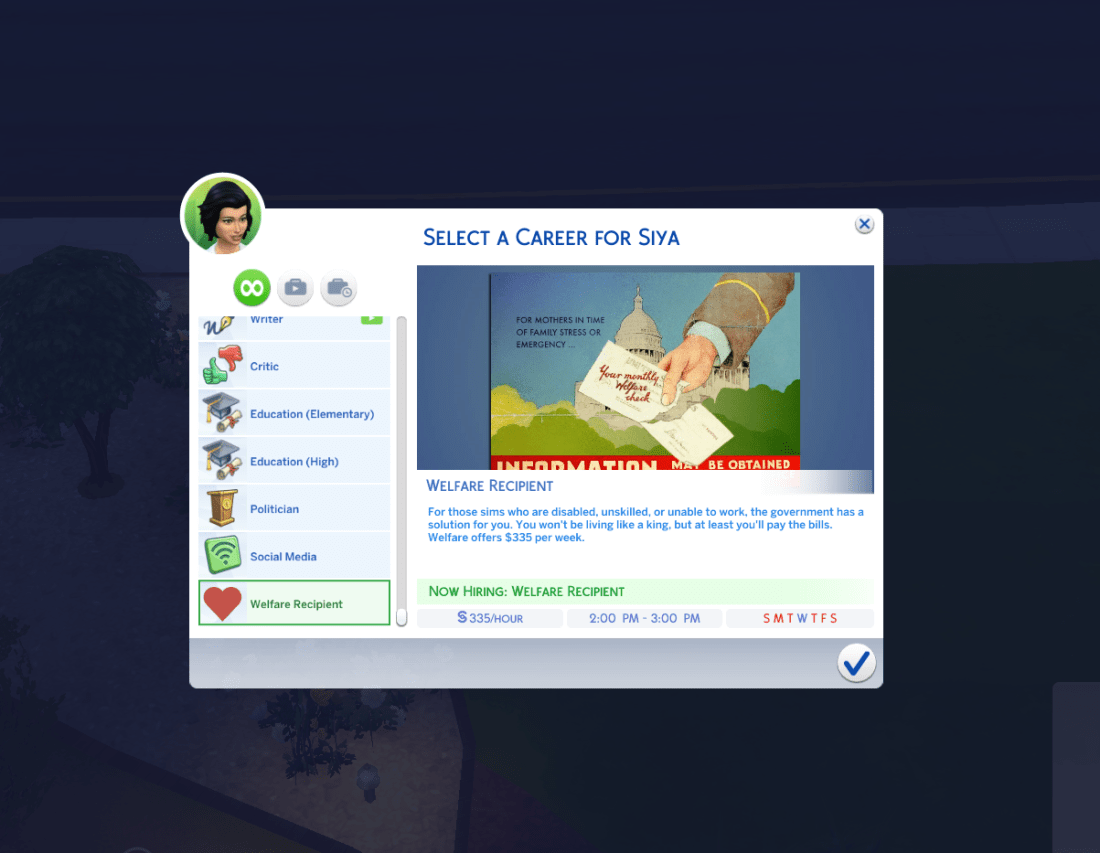
I created this quick mod that pays your family $335 per week to sit back and do absolutely nothing. It’s an absurdly low amount of money, but it is realistic – welfare isn’t designed to make you rich.
– To sign up for Welfare, apply for a job, like any other career, and select “Welfare Recipient”. This job is only available to Adults and Elders. I may make this for kids in the future as well so that having additional children will result in a bigger check (as it works in real life). – Once you sign up, your Jobs menu will be permanently minimized. There will be no hours or career performance like a typical career. However, you will not be able to get a second job without leaving welfare. This behavior is intended as welfare is not a job, but restricts you from getting one. – Once every Wednesday, your sim must leave the house for one hour and collect his/her check. It will be deposited into your family funds as usual. If you miss your appointment (every Wednesday at 2:00 PM) you will not get a check for the week. Calling in sick, PTO, vacation time, and any other ways are around this are disabled. You must go there to get paid. You will automatically be sent there unless a door is locked or you are otherwise prevented from leaving. – You can still do odd jobs, write, steal, or anything else that is “off the books”. Again, much like real life, cheating the system is completely possible, but anything obvious such as being on a payroll is disabled. – You can leave welfare by using the “Quit Job” interaction or by applying for another job. I’ve edited many of the different career popups and UI elements to better reflect the spirit of this mod, but it is not possible to change these without changing them for all jobs.
















 simmingpenguin